· Kevin Bolger · AI & Data · 4 min read
Microsoft 365 Copilot and Lab Data
Copilot already sees your SharePoint. Getting it to see your LIMS and instrument data is a different problem.
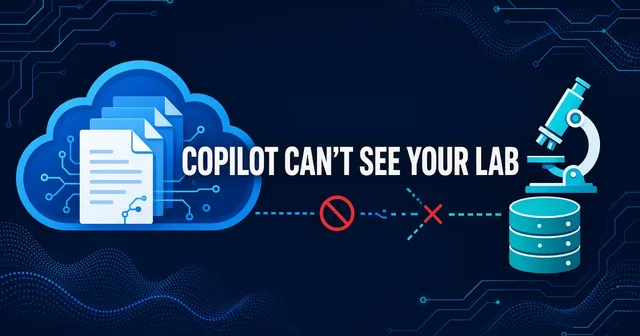
If your company uses Microsoft 365, Copilot already has access to a lot of your data. It can search SharePoint, summarize emails, and pull from OneDrive. For some teams, that’s the concern: it may surface more than expected.
But Copilot doesn’t see your LIMS. It doesn’t see your instrument files. It doesn’t see the network drives where your actual experimental data lives. This post covers how to connect Copilot to that data—and why it requires careful planning.
What Copilot already sees
Microsoft 365 Copilot queries the Microsoft Graph. That means it can access anything the user can access in SharePoint, OneDrive, Outlook, Teams, and other M365 services. The permissions are delegated: Copilot sees what you see.
This sounds safe, but it’s worth checking in practice. Some organizations have SharePoint sites with broad sharing permissions. Documents shared for one project may be accessible to more people than intended. When Copilot surfaces these in search results, it becomes visible.
Before you connect Copilot to additional data sources, review your SharePoint permissions. Run a sharing audit. This is unglamorous work, but it’s often prerequisite work.
Three ways to extend Copilot
Once the baseline is clean, there are three paths to connect Copilot to data outside M365.
1. Synced Copilot connectors
Microsoft offers synced connectors that index external data sources and add them to the Microsoft Graph. These include a File Share connector that can index on-premises network drives with ACL trimming—meaning it can respect existing Windows permissions when configured.
The limitation: indexing is about documents and files, not structured data. The File Share connector can make your instrument exports searchable by filename and maybe by content. It doesn’t link those files to your LIMS records. It doesn’t understand that this CSV is the output of experiment EXP-2024-0142.
2. Federated MCP connectors
Copilot supports federated connectors using the Model Context Protocol. These don’t index data—they query it live. When a user asks a question, Copilot calls your MCP server, which queries your data source and returns the answer.
Federated connectors support user identity pass-through and can be audited through Microsoft Purview. This is the pattern for connecting to lab data systems where you need per-user permissions and real-time queries.
You can set up custom federated connectors with your own MCP server running in your cloud, querying a curated layer, and returning structured answers. The same MCP server architecture works for Claude and ChatGPT.
3. Copilot Studio agents
For more complex use cases, you can build Copilot Studio agents that use MCP tools and resources. These agents can orchestrate multiple data sources, apply business logic, and present results in custom formats.
This is the most flexible option, but also the most work. Many teams start with a federated MCP connector and move to agents only if they need the additional capabilities.
The indexing trap
There’s a temptation to solve everything with indexing. Index all the files, make them searchable, done.
The challenge is that indexing doesn’t create meaning. If your instrument exports are CSV files named with cryptic conventions, indexing makes them findable but not necessarily useful. Copilot can tell you “here’s a file that mentions compound X,” but it can’t tell you “here are all the assay results for compound X from the last six months, linked to their experiments.”
That linkage—connecting raw files to the records that give them meaning—is the actual work. It happens in a curated data layer, not in an indexing pipeline.
A practical architecture
Microsoft 365 Copilot
    ↓ (federated MCP call)
Your API Gateway (Azure APIM)
    ↓ (internal)
MCP Server (Azure Functions, App Service)
    ↓ (queries)
Curated Data Layer (Azure Synapse, Fabric, or open source)
    ↑ (pipelines, read-only)
Systems of Record (LIMS, ELN, instruments)
Azure API Management can front your MCP server with OAuth/JWT validation and logging. The audit trail can flow to Purview and your SIEM.
The curated layer is the key. It’s where you link instrument outputs to experiment IDs, apply business logic, and enforce permissions. Copilot queries the curated layer. Your systems of record stay untouched.
What about on-premises data?
The File Share connector with ACL trimming handles document files on network drives. For structured data in on-premises databases, you have two options:
- Replicate the data to a cloud curated layer and query it there
- Use a hybrid architecture with a gateway that can reach on-premises systems
Option 1 is usually simpler and more secure. The data that Copilot can access lives in your cloud, with cloud-native security controls. The on-premises systems stay behind the firewall.
Checklist
- SharePoint sharing audit completed
- Over-shared sites removed from search or fixed
- M365 Copilot RBAC configured
- MCP server in Azure (not on-premises for the endpoint)
- OAuth authentication via Entra ID
- Per-user authorization enforced server-side
- Read-only tools only
- Audit logs flowing to Purview and your SIEM
- File Share connector scoped appropriately (if using)
- Curated data layer in place with linked records
Want help building this? Our AI Data Readiness service handles the data preparation, architecture, MCP server, and governance configuration.